Japan eSIM vs Pocket WiFi
Last updated: March 2026
Should I get an eSIM or pocket WiFi for Japan?
For most travelers in 2026, an eSIM is the best choice. It is cheaper, more convenient (no device to carry or charge), activates instantly, and works immediately on arrival. Pocket WiFi is better for groups or if your phone does not support eSIM.
The Short Answer
For most solo travelers and couples visiting Japan in 2026, an eSIM is the better choice. It is cheaper than pocket WiFi, activates before you even board your flight, and requires no physical device to carry or charge. You land in Japan, your phone is already connected, and you never think about it again.
Pocket WiFi still makes sense in specific situations: groups of three or more people splitting the cost, travelers with older phones that do not support eSIM, and people who need to connect laptops or tablets to a mobile hotspot.
Physical SIM cards (prepaid data SIMs) represent a third option that sits between the two in cost and convenience — worth considering if your phone is eSIM-incompatible but you are traveling alone.
This guide walks through every option in detail, with specific provider recommendations, current prices, and a clear recommendation for different types of travelers. For overall trip planning, see our plan a trip to Japan guide.
What Is an eSIM?
An eSIM (embedded SIM) is a digital SIM card built into your phone. Instead of inserting a physical plastic card, you download a carrier profile — a small data file — onto your phone’s built-in eSIM chip. This profile connects your phone to a mobile network just like a physical SIM card would.
You purchase an eSIM plan online from a provider, receive a QR code by email, scan the code with your phone’s camera, and install the profile. The whole process takes about two minutes. Most plans can be purchased days or weeks before your trip and activated only when you arrive in Japan (or automatically when your phone connects to a Japanese network).
Does Your Phone Support eSIM?
Most flagship smartphones released from 2019 onward support eSIM. This matters for arriving in Japan ready to navigate from the moment you land. Specifically:
- iPhone: iPhone XS, XR, and all newer models support eSIM. iPhones sold in the United States from iPhone 14 onward are eSIM-only (no physical SIM slot).
- Samsung Galaxy: Galaxy S20 and newer support eSIM (some regional variants do not — check your specific model).
- Google Pixel: Pixel 3 and newer support eSIM.
- Other Android: Most flagships from 2020 onward. Check your specific model in Settings under About Phone or SIM settings.
Important note: Some phones sold in China do not support eSIM due to regulatory restrictions. Budget Android phones frequently do not support eSIM. If you are unsure, check your phone’s technical specifications.
To verify eSIM support: on iPhone, go to Settings — General — About — scroll down to Available SIM section. On Android, go to Settings — Connections — SIM Manager — look for an eSIM or Add eSIM option.
What Is Pocket WiFi?
A pocket WiFi (also called a mobile WiFi router or MiFi) is a small handheld device — roughly the size of a deck of cards — that contains its own SIM card connected to a Japanese mobile network. The device creates a personal WiFi hotspot that your phone, tablet, and laptop can connect to via WiFi.
You rent the device before your trip from a rental provider, either arranging pickup at the airport arrival hall or having it shipped to your accommodation in advance. At the end of your trip, you return it by dropping it in a prepaid envelope and placing it in any post box.
Pocket WiFi typically operates on the same NTT Docomo, SoftBank, or au network as a SIM card, providing equivalent coverage.
Detailed Comparison
Coverage in Japan
Both eSIM and pocket WiFi use the same underlying Japanese networks (primarily NTT Docomo and SoftBank). Coverage across Japan is excellent in all cities and most rural areas. The notable exception is remote mountain areas, some valleys in the Japanese Alps, and certain island locations — but these limitations apply equally to eSIM, pocket WiFi, and physical SIMs.
Japan’s 4G LTE network covers over 99% of the populated area. 5G coverage is available in major cities (Tokyo, Osaka, Nagoya, Fukuoka) and is expanding. Most eSIM providers offer 4G plans; some now offer 5G.
Winner: Tie — coverage is determined by the underlying network, not the connection method.
Cost
eSIM:
- 1 GB plan: approximately 1,500–2,000 yen
- 3 GB plan: approximately 1,800–2,500 yen
- 10 GB plan: approximately 2,500–4,000 yen
- 20 GB plan: approximately 4,000–6,000 yen
- Unlimited plans (may be throttled after a threshold): 3,000–6,000 yen for 7–14 days
Pocket WiFi (rental):
- Basic unlimited plan: approximately 4,500–7,000 yen per week
- Premium unlimited plan: 7,000–12,000 yen per week
- Rental fee is usually all-inclusive, but check for additional insurance fees (500–1,000 yen) and return envelope fees.
Physical SIM card:
- 3 GB, 15 days: approximately 2,000–2,500 yen
- 10 GB, 30 days: approximately 3,000–4,000 yen
- Unlimited (throttled to 1 Mbps after daily threshold): 3,000–4,500 yen for 30 days
Winner: eSIM for individuals. Pocket WiFi becomes competitive when the cost is divided among three or more people.
Convenience
eSIM: Purchase online, receive QR code by email, scan QR code, install profile. Done. Your phone is connected. No device to carry, no charging required, no physical pickup or return.
Pocket WiFi: Pick up at airport (or arrange advance delivery), carry the device everywhere, charge it daily (most devices last 8–12 hours), ensure it is in range of your phone, return it before you leave Japan.
Physical SIM: Pick up at airport, remove your existing SIM and store it safely (do not lose it), insert the Japan SIM, configure APN settings if required. Reverse the process on departure. Fiddly but functional.
Winner: eSIM — the convenience advantage over pocket WiFi is significant.
Multi-Device Support
eSIM: Connects one device directly to the network. You can create a personal hotspot from your phone to share with a tablet or laptop, but this drains your phone battery faster.
Pocket WiFi: Connects up to 5–10 devices simultaneously to the hotspot. Multiple people can all use one device.
Winner: Pocket WiFi for groups and multi-device travelers.
Battery Dependency
eSIM: Uses your phone’s existing battery. No separate device to charge.
Pocket WiFi: Requires daily charging. Most devices last 8–12 hours on a full charge, which may be insufficient for full travel days unless you carry a portable battery bank.
Winner: eSIM — one less device to charge.
Reliability
eSIM: Depends entirely on your phone and its antenna quality. If your phone dies, you lose connectivity. If your phone is stolen, you lose connectivity.
Pocket WiFi: A dedicated device; often more reliable connection speeds than a phone functioning as a hotspot. If one traveler’s phone dies, others in the group still have internet access via the shared device.
Winner: Slight edge to Pocket WiFi for group travel reliability.
eSIM Provider Comparison
| Provider | Plan | Data | Duration | Price (approx.) | Network |
|---|---|---|---|---|---|
| Airalo | Standard | 3 GB | 30 days | 2,200 yen | Docomo |
| Airalo | Standard | 10 GB | 30 days | 3,500 yen | Docomo |
| Ubigi | Standard | 3 GB | 30 days | 2,000 yen | Docomo |
| Ubigi | Standard | 10 GB | 30 days | 3,800 yen | Docomo |
| Holafly | Unlimited | Unlimited | 10 days | 4,500 yen | SoftBank |
| Holafly | Unlimited | Unlimited | 15 days | 5,500 yen | SoftBank |
| IIJmio | Monthly | 2 GB | 30 days | 1,540 yen | Docomo |
| IIJmio | Monthly | 15 GB | 30 days | 3,300 yen | Docomo |
Pocket WiFi Provider Comparison
| Provider | Plan | Data | Duration | Price (approx.) | Network |
|---|---|---|---|---|---|
| Japan Wireless | Unlimited | Up to 10 GB/day | 7 days | 5,900 yen | SoftBank |
| Japan Wireless | Unlimited Premium | Unlimited | 7 days | 7,200 yen | Docomo |
| Ninja WiFi | Standard | Up to 10 GB/day | 7 days | 5,500 yen | SoftBank |
| Ninja WiFi | Premium | Unlimited | 7 days | 6,800 yen | Docomo |
Recommended eSIM Providers for Japan
Airalo
Airalo is the largest eSIM marketplace platform, offering eSIM plans from multiple carriers in Japan through a single app. Plans are competitive and the app makes purchase and installation straightforward.
Japan plans available through Airalo (approximate 2026 prices):
- Docomo network plan, 1 GB, 7 days: approximately 1,500 yen
- 3 GB, 30 days: approximately 2,200 yen
- 10 GB, 30 days: approximately 3,500 yen
- 20 GB, 30 days: approximately 5,000 yen
Installation: download the Airalo app, purchase your plan, then install via the QR code in-app or in your email. Works on iPhone and Android. Customer support is available via the app.
Ubigi
Ubigi offers Japan eSIM plans with generally good speeds and reliable NTT Docomo network access.
Japan plans (approximate 2026 prices):
- 3 GB, 30 days: approximately 2,000 yen
- 10 GB, 30 days: approximately 3,800 yen
- Unlimited (fair use throttled), 30 days: approximately 5,500 yen
Ubigi works well on iPhone and can be managed through the app or your phone’s SIM settings. The NTT Docomo backbone means excellent rural coverage.
Holafly
Holafly specializes in unlimited data plans for travelers, which makes it particularly appealing if you want to use navigation, video calls, and streaming without counting gigabytes.
Japan unlimited plan (approximate 2026 prices):
- Unlimited data, 5 days: approximately 3,000 yen
- Unlimited data, 10 days: approximately 4,500 yen
- Unlimited data, 15 days: approximately 5,500 yen
- Unlimited data, 30 days: approximately 7,500 yen
Note that Holafly’s “unlimited” plans are technically subject to fair use throttling at peak times and after high-volume daily usage. In practice, speeds remain adequate for navigation and communication throughout most of the day. Good for heavy data users who cannot be bothered monitoring usage.
IIJmio eSIM (Japan-specific)
IIJmio is a Japanese MVNO (virtual network operator) that uses NTT Docomo’s infrastructure. Their eSIM product requires Japanese language navigation to purchase but provides excellent value and reliability for those willing to set it up in advance.
Plans run from about 1,540 yen per month for 2 GB to 3,300 yen per month for 15 GB. Best for travelers staying more than 2 weeks or planning to return to Japan.
Which eSIM Provider to Choose
For most first-time visitors on a 7–14 day trip: Airalo is the safest default — the app is the most polished, English-language support is excellent, and plan selection is broad. Purchase before you leave home.
For heavy data users on a 10+ day trip: Holafly’s unlimited plan provides peace of mind if you use a lot of data for navigation or video calls.
For the best value on a 7-day trip with moderate data use: Ubigi’s 3 GB plan at around 2,000 yen is hard to beat. A 7-day itinerary pairs well with our 7-day Japan itinerary guide.
Recommended Pocket WiFi Providers
Japan Wireless
Japan Wireless is one of the most reliable pocket WiFi rental services, popular with long-stay travelers and business visitors.
Plans (approximate 2026 prices):
- Unlimited (SoftBank network, up to 10 GB/day): approximately 5,900 yen per week
- Unlimited premium (NTT Docomo): approximately 7,200 yen per week
- Airport pickup and return available; home delivery also available.
Device battery life is advertised at 10 hours; bring a portable battery bank for full days out.
Ninja WiFi
Ninja WiFi is a long-established provider with competitive pricing and airport pickup at Narita, Haneda, Kansai, and several other airports.
Plans (approximate 2026 prices):
- Standard plan (SoftBank, 10 GB/day): approximately 5,500 yen per week
- Premium plan (NTT Docomo): approximately 6,800 yen per week
- English customer support available; app for usage monitoring.
Global Advanced Communications (GAC)
GAC offers WiFi devices using au (KDDI) network, which provides slightly different coverage characteristics from the Docomo/SoftBank options — better in some rural areas, equivalent in cities.
The rental and pricing model is similar to Japan Wireless and Ninja WiFi. Worth comparing prices at the time of booking as all three operators regularly run promotions.
Physical SIM Cards
Physical SIM cards are available at major Japanese airports (vending machines in arrival halls at Narita, Haneda, and Kansai) and at electronics stores (Yodobashi Camera, Bic Camera) throughout Japan. Major providers include:
IIJmio Tourist SIM: 2 GB or 5 GB options, available at airports, around 3,000–4,500 yen. NTT Docomo network.
KDDI Prepaid Data SIM: Available at some airport vending machines and electronics stores. Good rural coverage on the au network.
B-Mobile: Long-running MVNO with tourist SIM options at 2,970 yen for 7 days/1 GB or 6,600 yen for 21 days/10 GB. NTT Docomo network.
Important notes on physical SIMs:
- Most Japanese tourist SIMs are data-only — you cannot make voice calls or receive SMS. This is fine for most travel uses but means you cannot receive verification codes via SMS to Japanese numbers.
- Some apps (notably Uber and certain banking apps) require SMS verification. This rarely affects travel in Japan.
- You must remove your home SIM when inserting the Japan SIM. Keep your home SIM in your phone’s original SIM card tray holder or a small labeled envelope.
- Configure APN settings as directed by the provider instructions (usually a simple two-step process).
Free WiFi in Japan
Japan’s free WiFi coverage has improved significantly in recent years. You will find free WiFi at:
- Convenience stores: 7-Eleven, FamilyMart, and Lawson all offer free WiFi (registration required on first use; typically 3-hour sessions).
- McDonald’s: All branches.
- Train stations: Most major JR and private railway stations in Tokyo, Osaka, and Kyoto. Coverage varies; Shinkansen stations generally have strong free WiFi in waiting areas.
- Shinkansen: Free WiFi on most Tokaido Shinkansen services and newer Tohoku Shinkansen trains. Speeds are adequate for messaging and navigation.
- Airports: Excellent free WiFi at Narita, Haneda, Kansai, and all major airports.
- Tourist areas: Many popular tourist areas, particularly in Kyoto, have free WiFi zones managed by the city.
- Hotels: All major hotels provide free WiFi; business hotels typically have fast and reliable connections.
- Starbucks: Reliable and fast throughout Japan.
In practice, free WiFi is plentiful in cities and tourist areas but unreliable for constant connectivity while moving. You need your own connection for navigation while walking between destinations, for Google Maps directions, for real-time translation with Google Translate’s camera mode, and for messaging when you are not near a WiFi hotspot.
How Much Data Will You Actually Use?
This is the question most travelers underestimate. Here is a realistic daily data estimate for a Japan trip:
- Google Maps navigation (walking, transit): 30–80 MB per day depending on map downloads and live navigation time
- Google Translate camera mode: 5–15 MB per day
- Messaging (LINE, WhatsApp, iMessage): 5–20 MB per day
- Checking emails and web browsing: 20–50 MB per day
- Social media light posting (photos from phone camera): 50–200 MB per day
- Streaming music: 50–200 MB per hour
- Streaming video: 250–700 MB per hour
Realistic estimate for a typical day with navigation, translation, messaging, and occasional web browsing but no video streaming: 150–400 MB per day.
For a 7-day trip: 1–3 GB is adequate if you are not streaming video. A 3 GB plan provides comfortable headroom.
For a 10–14 day trip: 3–5 GB is appropriate for moderate use; 10 GB if you tend to use a lot of maps, post extensively on social media, or use video calls.
Tip: Download Google Maps areas for offline use before you leave your hotel each morning. This dramatically reduces data consumption for navigation.
Which Option Is Right for You?
Choose eSIM if:
- Your phone supports eSIM (iPhone XS or newer, Galaxy S20 or newer, Pixel 3 or newer)
- You are traveling alone or as a couple
- You want the simplest possible setup with no physical devices to manage
- You are budget-conscious (eSIM is almost always cheaper than pocket WiFi per person) — see is Japan expensive for a full cost breakdown
- You want connectivity from the moment you land without any airport pickup
Choose Pocket WiFi if:
- You are traveling in a group of 3 or more and want to share costs
- Your phone does not support eSIM
- You need to connect a laptop or tablet to a mobile data connection
- You want to share a connection with a travel companion who also lacks eSIM support
- You prefer to have a dedicated data device independent of your phone battery
Choose a Physical SIM if:
- Your phone supports a physical SIM but not eSIM
- You want slightly cheaper pricing than pocket WiFi
- You are comfortable swapping SIM cards
Do Not Rely on Free WiFi Alone if:
- You plan to use navigation while walking between destinations (especially in Kyoto and Osaka where streets are complex)
- You use real-time translation extensively
- You will be in any rural or less-touristy areas
- You want to stay in touch with people back home throughout the day
How to Set Up Your eSIM Before Departure
The process is straightforward and takes about 5 minutes.
Step 1: Purchase your eSIM plan from your chosen provider (Airalo, Ubigi, Holafly, or similar). Do this at least 24 hours before departure — though plans are typically delivered instantly.
Step 2: Receive your QR code by email or in the provider’s app.
Step 3: On iPhone, go to Settings — Cellular — Add eSIM — Use QR Code, then scan the code. On Android, go to Settings — Connections — SIM Manager — Add eSIM, then scan the code.
Step 4: During the installation, you will be asked to name the plan (name it “Japan” or “Trip”) and choose whether it should be your primary or secondary line.
Step 5: Set your new Japan eSIM as your primary data line for the trip. Keep your home plan active for iMessage, WhatsApp, and calls (these use minimal data when you are on your Japan data plan). Go to Settings — Cellular — Cellular Data and select your Japan eSIM.
Step 6: Turn off data roaming on your home carrier SIM to avoid unexpected charges.
Before landing in Japan: Switch your Japan eSIM to active. Many plans activate automatically when your phone detects a Japanese network; others require a manual toggle in settings.
Troubleshooting Common Issues
eSIM not activating after landing:
- Go to Settings — Cellular and verify your Japan eSIM is toggled on.
- Toggle airplane mode on and off to force a network scan.
- Verify Cellular Data is set to your Japan eSIM, not your home carrier.
Poor signal in specific locations:
- Some older buildings and underground areas in Tokyo have limited coverage; this is a network characteristic, not a provider fault.
- The Owakudani ropeway in Hakone and remote mountain trails may have no signal regardless of provider.
Pocket WiFi not connecting to devices:
- Confirm the device is on and the WiFi indicator is green (not orange/flashing).
- Find the WiFi name (SSID) and password printed on a label on the device or in the included leaflet.
- Most devices have a small display showing connected device count; check that you have not exceeded the maximum connections.
Running low on eSIM data:
- Most providers allow you to purchase a top-up through the app without needing a new QR code.
- Alternatively, you can purchase a new eSIM plan from the same or different provider and install it alongside your existing one.
Japan’s Unique Connectivity Needs
A few Japan-specific notes that affect your connectivity choice:
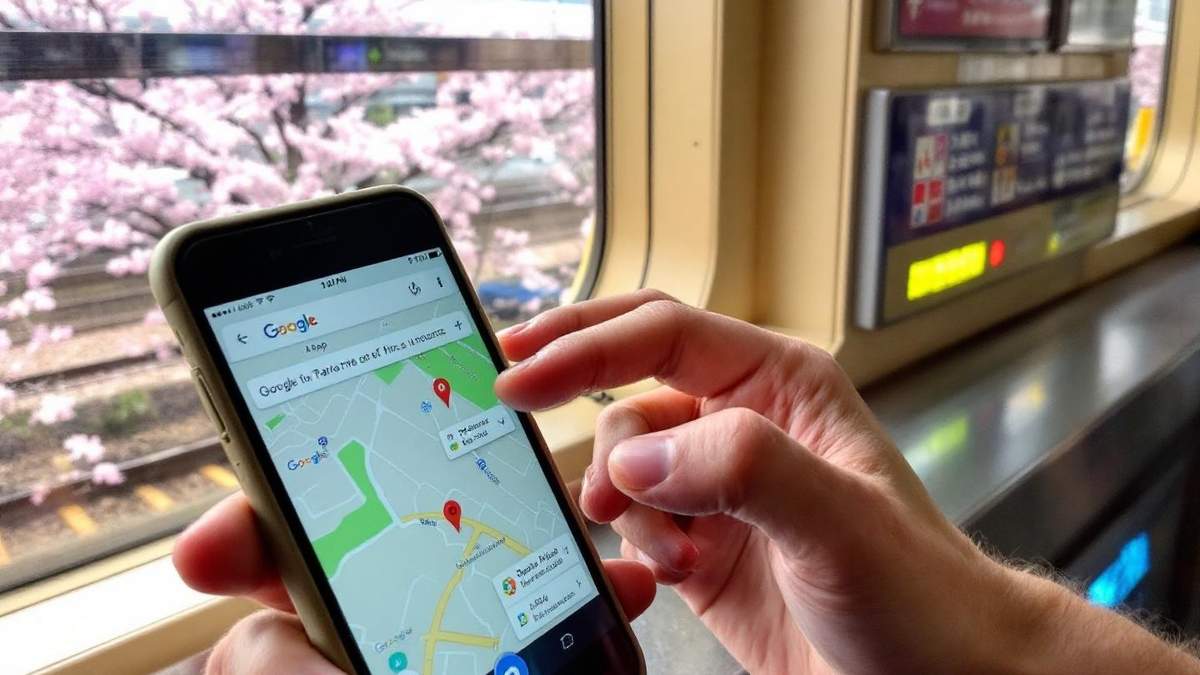
Google Maps is essential: Navigation in Japan is complex — addresses are not organized by street number in the Western sense, and many destinations require knowing the exact train station exit. Google Maps handles this better than any alternative. Download offline maps for each city region before leaving your hotel. This is especially important for navigating Tokyo’s train network and finding the right station exits.
Google Translate camera mode: Pointing your phone camera at Japanese text and having it translate in real time (no internet required for the downloaded Japanese language pack) is genuinely useful in restaurants, convenience stores, and anywhere without English signage. Download the Japanese language pack over WiFi before your trip.
IC card top-up: Your Suica card can be topped up at any station machine with cash, or digitally via Apple Pay if your iPhone is set up for it. You do not need mobile data for transit navigation once you understand the system. The Japan travel budget guide includes a breakdown of how much data budget vs. connectivity costs add up over a typical trip.
Emergency services: Dialing 110 (police) or 119 (ambulance/fire) works from any connected device including WiFi-only devices via VoIP apps, but a cellular connection is more reliable for emergencies.
LINE app: LINE is Japan’s dominant messaging app. Many Japanese businesses, restaurants, and services communicate via LINE. Install it before your trip even if you do not plan to use it heavily.
For a complete arrival checklist — including where to pick up your eSIM or pocket WiFi device at Narita — see the Narita to Tokyo transport guide. For full trip logistics, the plan a trip to Japan guide covers connectivity alongside every other pre-trip decision.